Posts

Alpha

Image
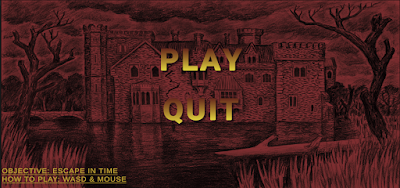
This week I feel as though I have made great progress with my game.  Firstly I added my main menu. (I learned how to do that here ) I got the background image here . (I added my own effects to it)  Image - Screen shot of my main menu - My own image Secondly I made that the 3 doors that open with keys work. So basically when you collect the first key the first door opens, collect second key and the second door opens and so on. This was the most difficult thing have added to the game so far and it did take me a long time but I got there in the end. (I learned how to do this here ) Then when this was all done I added my sound effects to the game there is a sound effect on the menu and a separate one in the game. ( Sound effect asset ) They were my goals for this week so realistically I could've stopped but I wanted to add some detail to the spawn room too see how it goes. (Furniture asset 1 , Furniture  asset 2 ) Im...
Unity Tutorial 08

Image
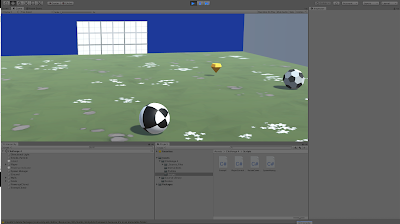
Image - Unity Challenge (my own image) This week I completed the Unity lesson 4.4 and challenge 4. I found the lesson to be easy enough and I didn’t run into any errors or problems. The lesson itself was interesting and it was nice to add more to that game, I was wondering how I would create that more enemies spawn when the waves end and this week taught me exactly that.  The challenge I didn’t find too hard except I did get stuck on some parts of it for a few minutes which required me too to look at some of the hints to get it done.    This was my last week of following the Unity tutorials, from next week I will be finding my own tutorials that help me with my game. This is something I am really excited for and I feel that at this stage it will help me a lot more with completing my game. I have enjoyed doing the Unity tutorials even though I had some ups and downs with them I got there in the end.    As I was saying I’m really excited to start my own tutorials ...

Review Week Comments and Feedback

Image
Image - Feedback GIF Overall, I think all of the comments I have being receiving from students have being really nice and helpful, they also have formed a community between the students which is always a great thing but with covid there is never a better time to have that. I find the comments on my project blogs to be most useful as it nice to get someone else’s opinion and take it on board and as well as that if someone has something nice to say it gives you a good confidence boost.   When it comes to commenting on other people blogs, I think it’s really helped me give my opinion on certain things without sounding bad about. As well as that I think all of us understand that were all just trying to help each other out which is a really nice thing. The WWW and TAG strategies have helped me to comment on people’s blogs as they helped me give some positive feedback, find out something I may be confused on and as well as that give my opinion in a nice way, before I started to lear...

Week 9 Reading and Writing

Image
Overall I feel as if the reading and writing assignments have seriously benefited me. Posting blogs has made me more comfortable writing and I also feel as though my reading and writing skills have improved a lot. So far, my favorite reading has being the reading in week 5 on games MDA, I think it was a great read and that it really thought me a lot of new things I never knew. The reading notes are helping me when creating my game because they have thought me a lot about game developing, I have being a gamer my whole life really but I have never really learned about creating games I’ve always just played them but these reading help me view games from a different perspective. When I started doing the reading tasks I was literally reading every last bit of the readings which I think was a mistake for me anyways because it was almost an overload of information, I learned that I should of course read but if there’s parts that are kind of repeating or if it’s something not going to benefit ...

First Playable

Image
This week I added a lot on to my game from my first prototype, first of all I finished the outline of the top floor of the house.  Image - Screenshot of my house (my own image) Secondly I added all of the doors except the front door and the last room door.  The doors all open when the player walks over to them and I got the script to do that from here . (I got the doors in this asset pack ) I also added keys and the two ghosts. (I got the key asset here and ghost asset here ) The only reason I didn't add the front door and the last room door is because them doors have to open with the key and the keys at the moment aren't doing anything I just have them laid out. The spawn room door will also open with a key but I just wanted to add that door there to see how the game feels when I spawn.  Video - Screen recording of my gameplay (my own video) This video shows exactly how everything is so far.  Right now I feel as if my game is in a good place as I am setting goals e...

Unity Tutorial 07

Image
Image - Screenshot of my game (my own image) This week’s unity tutorial I enjoyed and I learned a lot of new stuff. I recently updated my Unity because I was getting errors on the 2018 version but the assets on the 2020 version didn’t work for this week’s tutorial, so luckily I still had the 2018 version and I was able to use that and I got no errors. That was the only little set back I had this week apart from that everything was fine.  The tutorials this week were something really new and different compare to what we have done before, I found it interesting when making the enemy follow the player and when giving the player a powerup. These tutorials thought me a lot of new things that I could see being useful for me in the future.   The powerup that we added was something really new to what we have done before and if you told me you have to add a powerup I would have thought that it would be a lot more complicated than it was as well as that we added timer to the powerup so ...

Game Fun

Image
Games can be described by the 3 components Mechanics, Dynamics, and Aesthetics (MDA) or otherwise stated as rules – system – “fun” . The three reading selections this week and the synopsis below all address the term “fun” in relation to game design. There are eight types of Fun outlined by the MDA. These eight are both a source of reference and player experience that blend together in many ways, and essentially what makes a game engaging and enjoyable. Figure 1: Eight kinds of Fun Both Oxford and Merrian dictionaries define Fun as an enjoyment, delight but within the context of a game it refers to a form of pleasurable entertainment. MDA papers define the '8 kinds of fun' sensation, fantasy, narrative, challenge, fellowship, discovery, expression, and submission, remain a source of reference and possibly the most popular list of player interactions combining in various forms to attract each player to a particular game. Nicole Lazzaro presents four types of fun that are involve...